Switching Korean/English input with Command+Space in Parallels
Contents
I’ve been using the settings below from version 8 through 11.
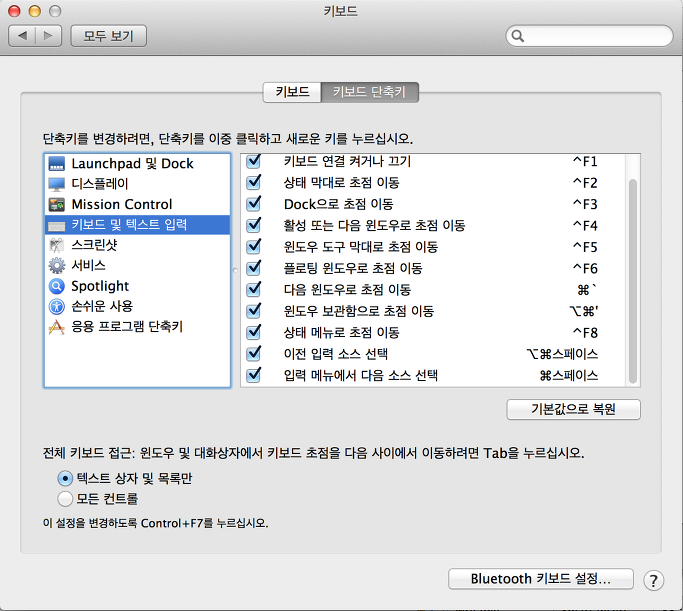
1. In keyboard settings, swap the shortcuts for “Select the previous input source” and “Select next source in Input menu”
2. In Parallels preferences, add the shortcut mapping below (Command+Space -> AltGr)
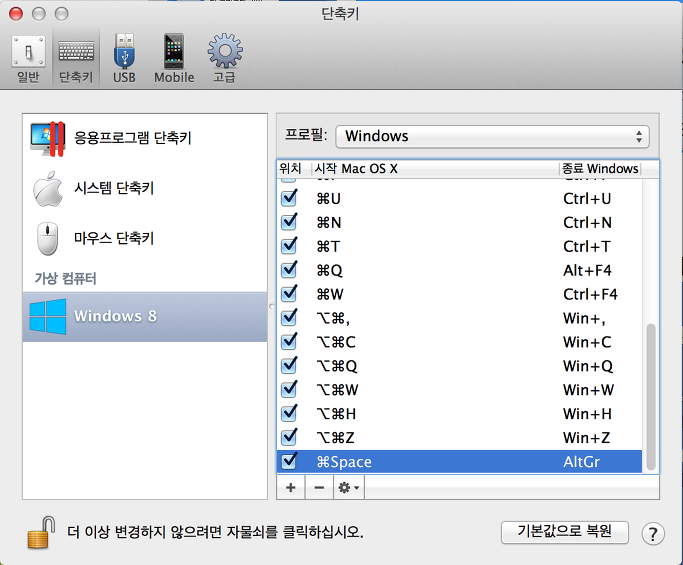
Done. This worked for me.